
Calculator Lock: Gallery Vault1.0 - Google Play
You'll be able to see results in few seconds.
Publisher Description



HideU allows you to hide all types of files, including photos, videos and other items in hidden space with calculator password protection. It also provides you with other useful functions, including notes, video player, camera, etc. You can use HideU as a private parallel space in your phone.
Your files will be secretly stored in HideU and can only be accessed by entering a digital PIN.Disguised as a secret calculator, HideU is a stunning free video vault, photo gallery lock, audio protector and privacy guard for your personal information and media files.
Main Features:
Hide photos & videos
Secret media files will be stored in HideU and will not be shown in any other photo album, gallery or file manager. Keep others away from your private photos, videos, movies in safe media files vault.
Video Player & Built-in Photo Viewer
You can play hidden videos inside calculator lock. The video player provides very convenient functions to allow you easily adjust the brightness, sound, and one-key mute to help you quickly switch in various situations.
Through Built-in Photo Viewer, you can easily view all hidden photos inside the calculator lock app. HideU also supports you to edit photos. You can add filters, crop, text, adjust basic parameters-just like system picture editing!
Private Browser
If you want to protect your browsing data, then using the private browser is a good choice, it can provide you with a secret and anonymous browsing experience.
App Lock
For apps that have been locked, people need to enter a password or draw the unlock pattern to use. App lock can prevent privacy from leaking to others.
️Cloud Service
Back up all your personal files and data to the cloud in a safe and private way. Guarantee your data security to the greatest extent.
Icon Disguise
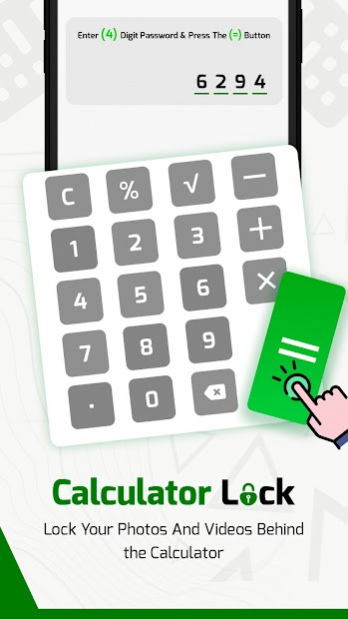
The icon of the application looks like an ordinary system calculator, and you can also use it to perform calculations. The way you enter the password to open the private space of the calculator is also very secret. Except for yourself, no one will know the existence of this private space.
-----------FAQ-----------
Q: How to use?
A: Enter your password on calculator and press ‘=’ button to open.
Q: How to retrieve your password?
A: Please enter “11223344=” to verify your security question and then reset the password. If you still have issues, please choose ‘Trouble in logging’ and send us e-mail and our support team will contact you within 24 hours. You cannot find the email in the Inbox, please check your Spam or Trash folders.
Privacy Policy: https://wefixtechnoweb.blogspot.com/2021/12/privacy-policy.html
Contact us: https://wefixtechnoweb.blogspot.com
IMPORTANT:
- Your privacy is important to us! HideU Calculator Lock – Photo & Video Vault app does not copy or store your photos and videos.
- Do not uninstall HideU, clear app data or delete files and folders generated by HideU before backing up your personal data through cloud service. Otherwise, your files will be lost forever.
We focus on privacy protection and we are dedicated to provide the most advanced photo locker and video hider to keep your privacy safe!
About Calculator Lock: Gallery Vault
The company that develops Calculator Lock: Gallery Vault is Wefix Technoweb. The latest version released by its developer is 1.0.
To install Calculator Lock: Gallery Vault on your Android device, just click the green Continue To App button above to start the installation process. The app is listed on our website since 2021-12-07 and was downloaded 0 times. We have already checked if the download link is safe, however for your own protection we recommend that you scan the downloaded app with your antivirus. Your antivirus may detect the Calculator Lock: Gallery Vault as malware if the download link to calcilock.calculatorlock.hide is broken.
How to install Calculator Lock: Gallery Vault on your Android device:
- Click on the Continue To App button on our website. This will redirect you to Google Play.
- Once the Calculator Lock: Gallery Vault is shown in the Google Play listing of your Android device, you can start its download and installation. Tap on the Install button located below the search bar and to the right of the app icon.
- A pop-up window with the permissions required by Calculator Lock: Gallery Vault will be shown. Click on Accept to continue the process.
- Calculator Lock: Gallery Vault will be downloaded onto your device, displaying a progress. Once the download completes, the installation will start and you'll get a notification after the installation is finished.
Program Details
System requirements
Download information
Pricing
Version History
version 1.0
posted on 2021-12-07
Disclaimer
Official Google Play Link
We do not host Calculator Lock: Gallery Vault on our servers. We did not scan it for viruses, adware, spyware or other type of malware. This app is hosted by Google and passed their terms and conditions to be listed there. We recommend caution when installing it.
The Google Play link for Calculator Lock: Gallery Vault is provided to you by apps112.com without any warranties, representations or guarantees of any kind, so access it at your own risk.
If you have questions regarding this particular app contact the publisher directly. For questions about the functionalities of apps112.com contact us.
